Platforms - WooCommerce AI automation
WooCommerce AI automation for revenue recovery
WooCommerce stores often rely on a mix of WordPress plugins, email tools, analytics, and manual reporting. AI automation can help connect the revenue signals that matter: carts, orders, customer history, product affinity, and campaign outcomes.
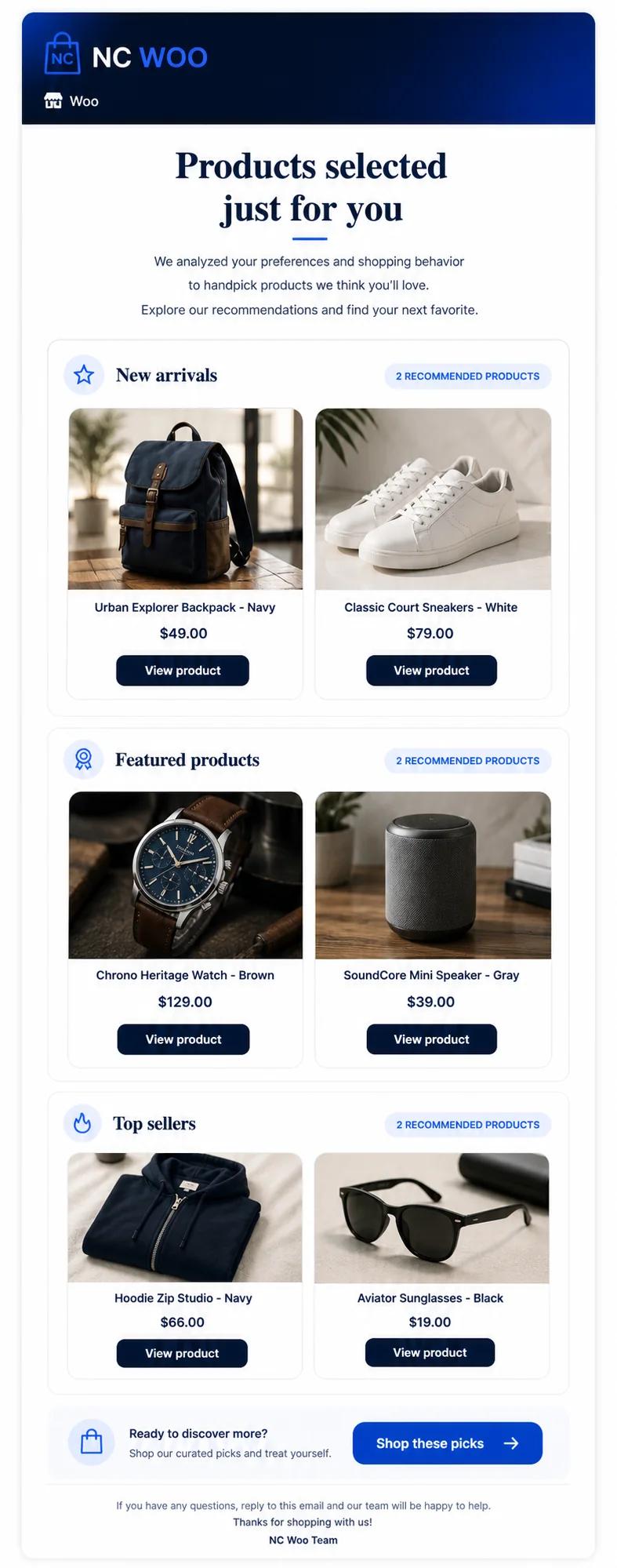
Product workflow evidence
Product example: an ecommerce advisor workflow using customer and product context.
This screen is shown as a concrete interface example. Results depend on store data, workflow rules, consent, and customer behavior; it is not a performance guarantee.
Problems
What usually blocks this workflow
- Plugin-heavy WooCommerce stacks can make revenue workflows hard to coordinate.
- Cart recovery and product recommendations may not share the same customer context.
- Operators need clearer visibility into which workflows drive recovered revenue.
Workflow
A practical implementation path
- 1Synchronize WooCommerce products, carts, orders, and customer records.
- 2Identify abandoned carts, likely product matches, customer segments, and revenue movements.
- 3Route those signals to recovery, recommendation, email, and alert agents.
- 4Track recovered orders, campaign performance, and store-level impact.
Editorial guide
Account for WooCommerce's operating environment
WooCommerce stores vary by hosting, checkout extensions, caching, payment gateways, and data hygiene. Validate that the connector observes the actual checkout and order states used by the store. A reliable workflow should tolerate retries, delayed webhooks, duplicate events, and plugin-specific fields without repeating customer actions.
- Inventory active checkout, consent, currency, and subscription plugins.
- Test failed, pending, completed, refunded, and cancelled orders.
- Monitor synchronization lag and duplicate-event handling.
Keep automation observable
Record the source event, decision, rule result, action, and commercial outcome for each workflow. This gives store operators a direct path from an unexpected message or alert back to the WordPress and WooCommerce state that produced it.
How NeuroCheckout helps
Applying this workflow with specialized ecommerce AI agents
NeuroCheckout is built for teams that want practical automation from store data. The goal is to connect signals to actions and keep the revenue impact visible.
- NeuroCheckout is built to coordinate multiple ecommerce revenue workflows from one dashboard.
- WooCommerce teams can use AI agents to reduce manual follow-up and reporting work.
- The platform helps connect recovery actions with segmentation and product context.
Metrics
What to measure
FAQ
Common questions
Why use AI automation with WooCommerce?
AI can help coordinate store data across carts, orders, products, customers, and emails so teams act on revenue signals faster.
Which WooCommerce workflows are good AI candidates?
Cart recovery, product recommendations, customer segmentation, email follow-ups, and revenue anomaly alerts are strong starting points.
Next pages
Related ecommerce automation guides
AI abandoned cart recovery
AI abandoned cart recovery for Shopify, WooCommerce and more
Open resourceecommerce email marketing automation
Ecommerce email marketing automation with AI agents
Open resourceAI customer segmentation ecommerce
AI customer segmentation for ecommerce teams
Open resourceShopify AI agents