Platforms - Shopify AI agents
Shopify AI agents for cart recovery and revenue automation
Shopify stores often have the data needed for strong AI automation: products, carts, orders, customers, and campaign events. The challenge is turning that data into coordinated actions across recovery, recommendations, segmentation, and revenue monitoring.
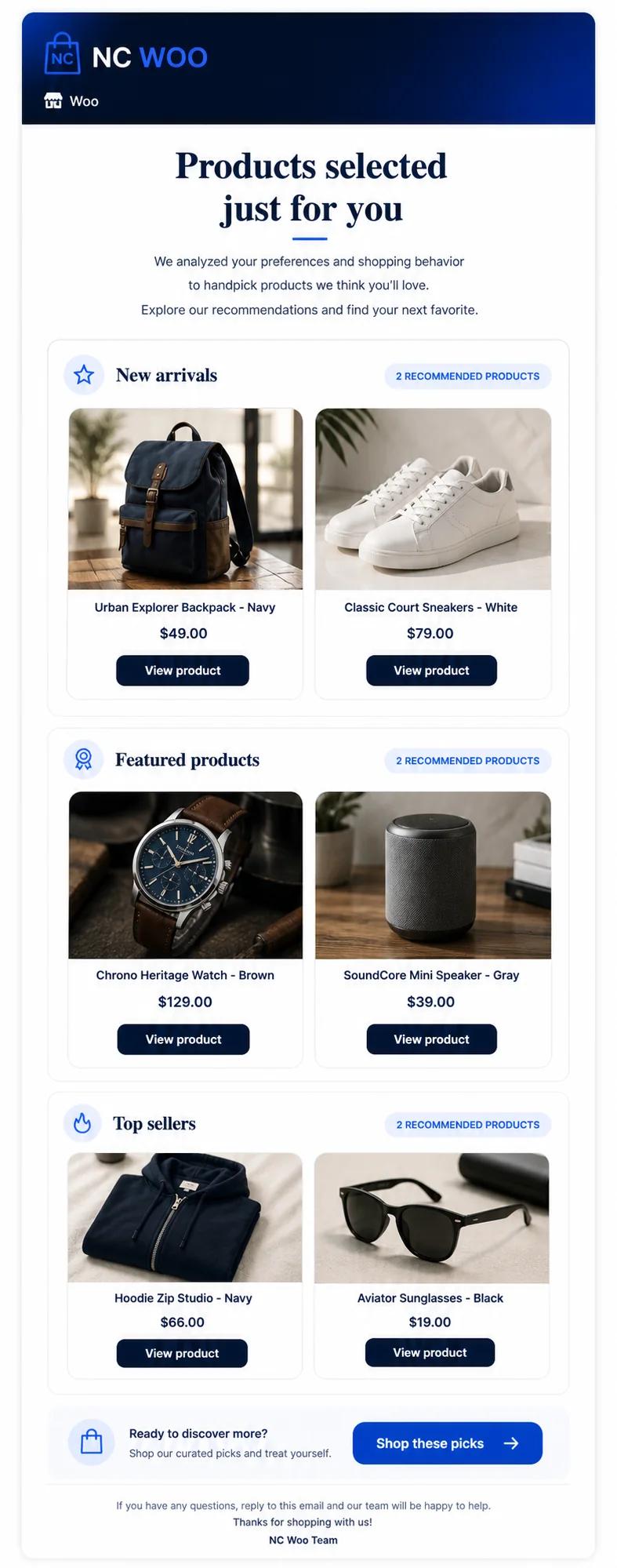
Product workflow evidence
Product example: an ecommerce advisor workflow using customer and product context.
This screen is shown as a concrete interface example. Results depend on store data, workflow rules, consent, and customer behavior; it is not a performance guarantee.
Problems
What usually blocks this workflow
- Shopify apps can become fragmented when every workflow lives in a separate tool.
- Cart recovery, email automation, and recommendations are often optimized separately.
- Merchants need one way to see whether automation is actually recovering revenue.
Workflow
A practical implementation path
- 1Connect the Shopify store and synchronize commerce events.
- 2Use AI agents to evaluate carts, products, customer behavior, and revenue signals.
- 3Trigger recovery, recommendation, segmentation, and alert workflows.
- 4Measure recovered orders, campaign revenue, and agent performance.
Editorial guide
Map each agent to Shopify store events
Start by listing the events and objects required for each workflow: products and variants for recommendations, carts and checkout progress for recovery, customers and orders for segmentation, and campaign outcomes for learning. Confirm how updates, cancellations, refunds, inventory changes, and consent are synchronized before enabling actions.
- Test event freshness with a controlled order and cart.
- Verify variant, currency, discount, and inventory handling.
- Document the source used for conversion and revenue attribution.
Launch one measurable workflow first
A staged rollout makes data and attribution issues easier to see. Begin with one store and one high-intent workflow, review exceptions and results, then reuse the proven guardrails for recommendations, lifecycle email, upsells, and monitoring.
How NeuroCheckout helps
Applying this workflow with specialized ecommerce AI agents
NeuroCheckout is built for teams that want practical automation from store data. The goal is to connect signals to actions and keep the revenue impact visible.
- NeuroCheckout is designed for ecommerce automation workflows that Shopify merchants already care about.
- The platform helps reduce tool fragmentation by coordinating multiple revenue agents.
- Agencies can use the dashboard to explain recovered revenue and next actions to clients.
Metrics
What to measure
FAQ
Common questions
What should Shopify merchants automate first?
Start with abandoned cart recovery, product recommendations, customer segmentation, and revenue alerts because those workflows use existing Shopify data.
Is this only for Shopify Plus?
No. The use case is relevant to smaller Shopify stores too, especially when they already have steady traffic and abandoned carts.
Next pages
Related ecommerce automation guides
AI abandoned cart recovery
AI abandoned cart recovery for Shopify, WooCommerce and more
Open resourceAI product recommendations ecommerce
AI product recommendations for ecommerce growth
Open resourceKlaviyo alternative ecommerce AI
Klaviyo alternative for ecommerce AI agents
Open resourceWooCommerce AI automation